View the firmware version of the phone
Dial using the keypad:
* # 0000 # – the version number displayed on the display.
V 5.16
22-06-99
NSM-1
V 5.16 – software version
22-06-99 – date
NSM-1 – The hardware (model)
View IMEI
Dial using the keypad:
* # 06 # – IMEI number is displayed on the display.
SimClock
Allows you to check whether your SIM-card mode StopClock. When transferring the card to this mode significantly reduces power consumption and thus increases the work of the battery. Generally, all modern SIM-cards support this mode.
*#7780# reset to factory settings.
*#67705646# This will clear the LCD display (operator logo).
*#0000# To view software version.
*#2820# Blue tooth device address.
*#746025625# Sim clock allowed status.
*#62209526# – Display the MAC address of the WLAN adapter. This is available only in the newer devices that support WLAN
#pw+1234567890+1# Shows if sim have restrictions.
*#92702689# – takes you to a secret menu where you may find some of the information below:
1. Displays Serial Number.
2. Displays the Month and Year of Manufacture
3. Displays (if there) the date where the phone was purchased (MMYY)
4. Displays the date of the last repair – if found (0000)
5. Shows life timer of phone (time passes since last start)
*#3370# – Enhanced Full Rate Codec (EFR) activation. Increase signal strength, better signal reception. It also help if u want to use GPRS and the service is not responding or too slow. Phone battery will drain faster though.
*#3370* – (EFR) deactivation. Phone will automatically restart. Increase battery life by 30% because phone receives less signal from network.
*#4720# - Half Rate Code activation.
*#4720* – Half Rate Code deactivation. The phone will automatically restart
If you forgot wallet code for Nokia S60 phone, use this code reset: *#7370925538#
Note, your data in the wallet will be erased. Phone will ask you the lock code. Default lock code is: 12345
Press
*#3925538# to delete the contents and code of wallet.
Unlock service provider: Insert sim, turn phone on and press vol up(arrow keys) for 3 seconds, should say pin code. Press C,then press * message should flash, press * again and 04*pin*pin*pin#
*#7328748263373738# resets security code.
Default security code is 12345
SIM Clock
Stop allowed
Warranty Codes
* # 92702689 # [* # war0anty #]
Enter the menu of warranty codes. In fact, you do not need, but you can find them using the arrows scroll menu.
Menu:
- Shows the serial number of the device.
- Date and year of manufacture (eg 0299).
- Shows month and year of sale (if installed). Here you can set the date, but be careful – it can be done only once in their life phone
- Date of last repair (if any)
- Sends all the phone numbers, pictures, and calls from one phone to another (possibly in order to restore). In models with an infrared eye, this procedure works, and through him
EFR CODEC (Enhanced Full Rate)
This function with its inclusion on the idea, should significantly improve the quality of speech, but unfortunately, it must be supported by your connection. When the work is slightly increased power in the phone call (about 5%). How do I know, none of the Russian cellular operators do not support this feature. Principle is based on a different compression algorithm for speech recognition (ACELP) and has a wider bandwidth.
Dial
* 3370 # to activate (the phone should reboot) or
# 3370 # to deactivate this function.
HR CODEC (Half Rate)
Substantially impairs the quality of speech, but saves battery somewhere at 30%. Again, must be supported by a mobile operator. American networks that support this feature, I do not know.
Dial
* 4720 # to activate (the phone should reboot)
or
# 4720 # to deactivate this function.
“The secret” button “Power” (61hh, 7110)
If you briefly press the button of your phone, you get to the “quick change” profiles (custom settings). Very handy feature, which personally I often use. Her “documented” in the model 7110.
“The Secret” 54 #
If you are using a SIM-card memory for storing notebook, then knowing the exact address of the phone number in the memory (number of cells in the SIM-card) is the ability to quickly extract the necessary number to the clipboard dialing apparatus. Simply dial the cell (eg, 6) and press # (bars). The number immediately appears on your screen.
Error in the microcode (61hh)
This error does not lead to any serious consequences, and with normal use of the phone “on purpose” will not happen ever. Here is a sequence of actions in which it manifests itself – the phone just reloaded.
- Log in Calendar (Menu-8)
- Make a note or reminder
- Enter some text in the editing window
- Press and hold the Clear button until the text is empty, then click Back.
- You will return to main screen, but will appear on the screen space (which you certainly do not see).
- Enter any 4 digits (eg 1234).
- Using the arrow keys, move the cursor to the beginning of this line with the numbers (click the down arrow 2 times).
- Now enter any additional 6 digits and press Send (green tube).
- Wait a few seconds. Phone flashes illuminated keys and display, and finally reboot.
Answers to some of the other questions you can get by reading Nokia61xx FAQ by 2Pac.
Network Monitor (61xx)
This – the hidden menu in your Nokia phone. If you want to activate this menu, you must use a program that pereprogramiruet some chips in your phone.
For example monitor the network in Nokia 6110:
Check the version of your software. You can continue ONLY if you have 4.33, 4.73 or 5.24!
2. Dismantle EEprom.
3. Choose the program EEProm (ATMEL In 24C64).
4. Read data from EEProm and save in the backup.
5. If you have v4.33, then 4.73, or change address 03B8 from 00 to FF.
6. If you have a v5-24, then changed 0378 to 00 in FF.
7. Write the new data in EEProm, and knitted his back to the portable phone.
8. Turn on your phone and you will have a new menu 10.
Network Monitor gives you the following information:
Number (number) Courier (transportation)
The level of sex workers in dBM
The received signal quality C1 (the criterion of loss of track is used to select the cells and re). Range – 99 to 99
RLT (Break Radio Communication)
The loss of time information on network
TMSI (Temporary Mobile Subscriber Identity)
Identification of Cells (cell ID, the number (number) of the cell)
MCC (Mobile Country Code)
MNC (Mobile Network Code)
LAC (Location Area Code)
Ciphering (vklvykl)
Hopping (vklvykl)
DTX (vklvykl)
Your business card on the display:
Edit menu (Menu 2-7-2-1) to your provider for that – something that you want (3 characters maximum)
Install the unit cost of the phone (Menu 2-7-2-1) to 1
Sign in to limit the cost (Menu 2-7-1-1) like your phone number
Change a profile (3 -…- Menu 3) to its name
How to get new tones calls:
Set SMSC (phone number) 358405202999
Send an SMS with the word: TONES
Send it to number
99999
When you receive a reply (this will improve in the language) you will list of ringing tones.
By selecting one, send it to the same number.
After a while you get the tone.
You can edit a melody, and then bring it to your phone!
New ringtone received. If it works, he should write to New ringtone received.
Scan, enhance, or remove restrictions on the map
Enter * pw +1234567890 +1 – Provider-Lock status
Press (printing)
* pw +1234567890 +2 – Network-Lock status
Press (printing)
* pw +1234567890 +3 – Provider (???)- Lock status
Press (printing)
* pw +1234567890 +4 – SimCard-Lock status
1234567890 (master code) – 10 nine-code zaviseschy by IMEI
Disclosure of the hidden menu nokia 6110
There are two menus for nokia 6100 series, which is not allowed in the normal mode, and only appears when some accessories fitted, namely hands-free kit or car kit.
Please note: Follow the instructions that follow you can deny the guarantee, for which I bear no responsibility.
If you look at the bottom start your phone, you will see 7 contacts.
The inclusion of hands-free menu
If you zakorotite 1 and 2, the contact shall appear the word ‘Headset’. Now you can use the menu 3-6.
Including road menu.
Zakorotite contacts 2 and 3 for a few seconds and you should see the word ‘Car’.
Now you can use the menu 3-7.
Removing Menu
The only way to remove the menu is to choose, choose restoration of factory settings. When asked, enter your security code (by default – 12345). Doing so will rid of the menu, but also received poudalyaet the melody.
A police radar gun. (NOKIA 5110/6110/6150/8850)
In order to detect police radar, do the following steps:
” Options –
” Secret settings – ”
” Group –
Activate and enter the code 00000 then press DC
Now you have to display a new ekonka this means is that if a radius of 1 km. Radar will phone you about this report pikanem (as SMS)
This does not work in some countries!
In some phones you may want to remove SP-Lock, directly through the phone menu!
1. Insert the card of another operator.
2. Turn on your phone and hold the button increases the volume of more than 3 seconds. And then release your telephone asks PIN code?
3. Click the “C”
4. Then press the button as far as times
* and 04 * PIN * PIN * PIN #
Phone write PIN-code conversion.
Now, turn off and turn on the phone again. He priymet card!




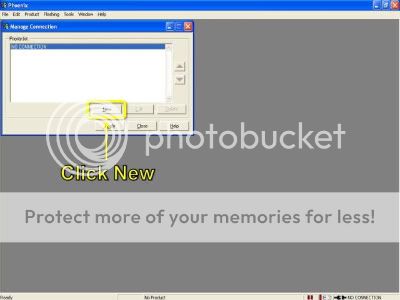
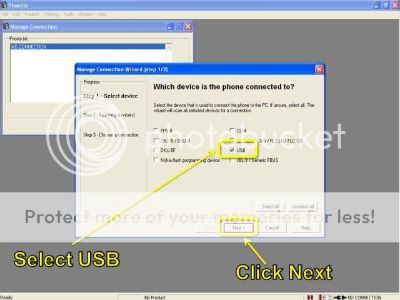
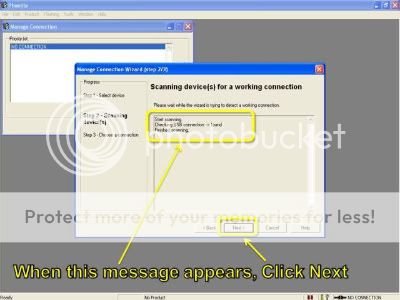
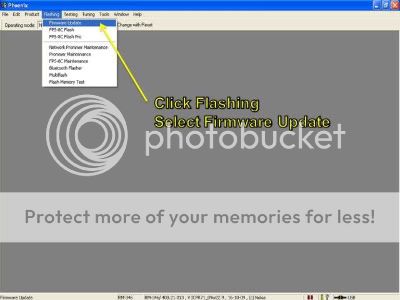
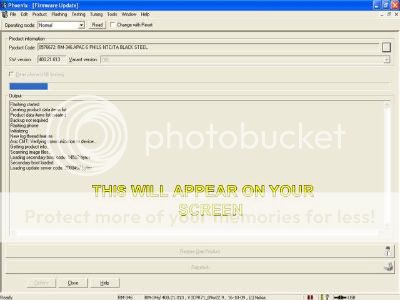
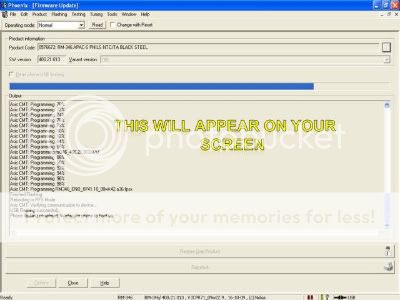
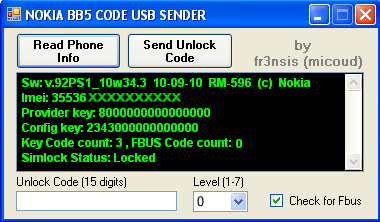
 READ & FOLLOW MY SCREENSHOTS